
The draft tube slows down the water leaving the runner and turns this velocity into suction under the runner.
Kaplan turbine draft tube: pressure recovery and losses
The water leaves the runner still fast. The draft tube, a diverging cone, slows it down and turns this velocity into suction under the runner: on a low-head turbine, it is a large share of the efficiency.
Draft tube tab of the left panel. Each block explained here carries a ? help icon in the window: clicking the icon opens the matching section of this page directly.
Sizing the draft tube and reading its balance
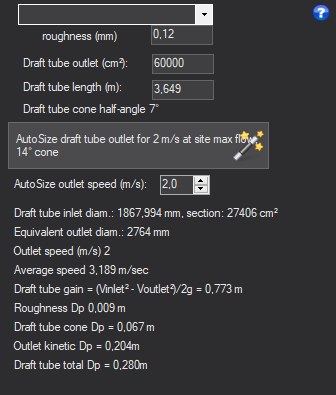
- Choose the roughness in the material list.
- Set the target outlet velocity then click AutoSize draft tube, or enter length and outlet section.
- Read the cone angle, the gain and the losses.
- Inputs: length (m), outlet section (cm², rectangular outlet whose height is half its width), roughness (mm, material list).
- AutoSize draft tube: outlet section computed for the target velocity at the maximum site flow (2 m/s by default, adjustable in the target outlet velocity box) and a cone of 14° total angle, the length being adjusted accordingly.
- Results: inlet section, mean velocity, cone angle, equivalent outlet diameter; gain = (V inlet² − V outlet²) / 2g; losses of the cone (Idel'cik, and beyond 50° total angle, Borda sudden expansion), of roughness and of outlet kinetic energy; total loss.
A cone that is too open separates: the announced gain is no longer recovered. The outlet velocity is lost in the tailrace: the lower it is, the better the balance, at the cost of a longer draft tube.
Examples
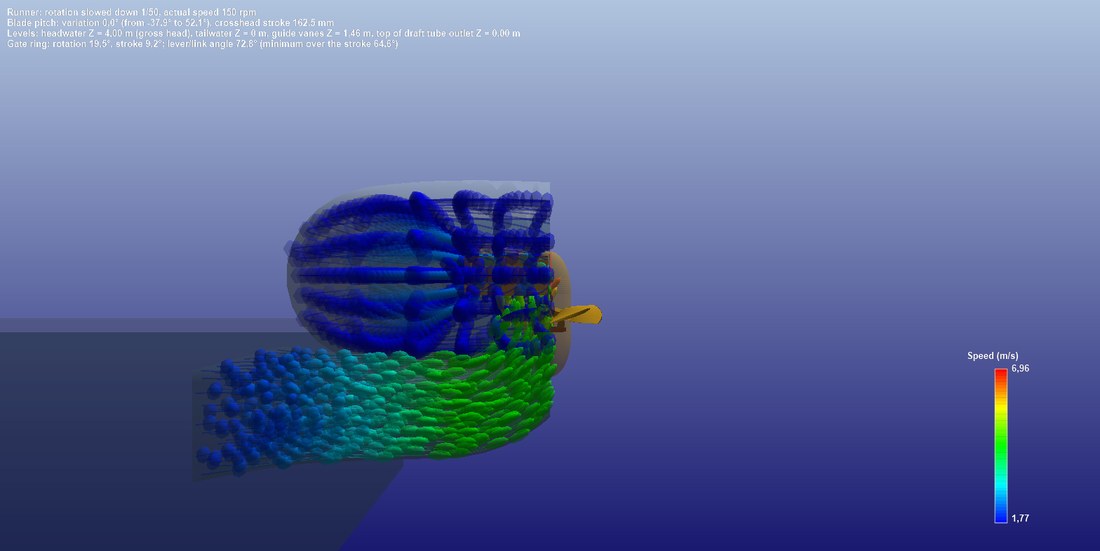
Vertical cut: the water slows down in the draft tube cone (green to blue).
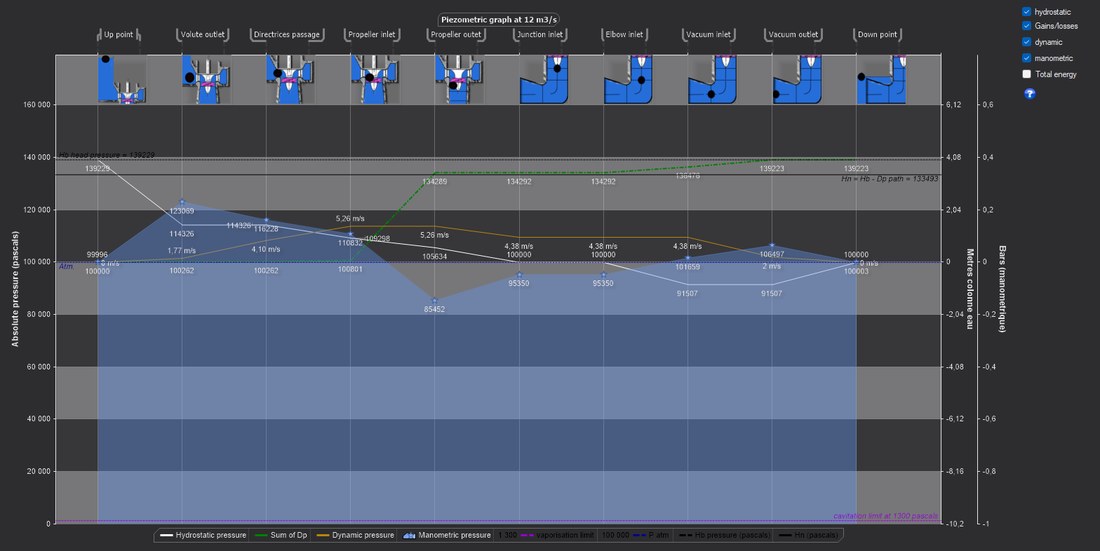
The piezometric graph: the draft tube pressure recovery under the runner.
Going further
The Hydro Turbine design reference page presents the complete method and a worked case. The other help pages of the window:
 Global site map
 Mecaflux
 Tutorials Mecaflux Pro3D
 Tutorials Heliciel
 Tutorials Heliciel PRO CFD
 Mecaflux Store
 Compare software functions
 Quotes, Orders, Payment Methods
 project technical studies