
Three settings of the blade dimensions tab decide what your CAD package, your 3D printer or your mesher will receive.
Rounded blade tip, root fillet and smoothing
A calculated blade stops dead at its last element and meets the hub through a sharp intersection. That is correct for the calculation: blade element theory asks for nothing more. It is not manufacturable, it is not meshable in CFD, and it is not what you see on a real propeller. Three settings close the gap.
1: The rounded tip
The Rounded blade tip checkbox replaces the square end with a continuous shape. Two parameters: an exponent, which decides the curvature — from a blunt round to a drawn-out point — and the number of blade elements devoted to it. Those elements are taken from the blade: a highly detailed tip on a coarsely discretised blade eats into the definition of the part that does the work.
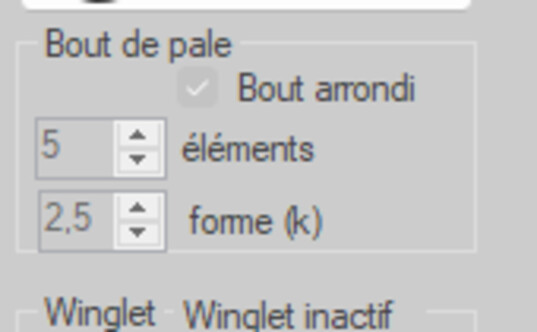
The Blade tip group
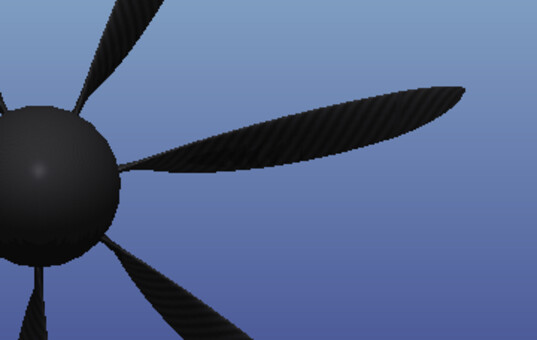
The tip, in 3D
2: The root fillet
The Blade root rounding factor (3D exports) group sets, in millimetres, the fillet joining the blade to the hub. That fillet is not decorative: this is where the bending loads pass, and a sharp junction concentrates stress there. It also counts for CFD, where a sharp edge at the root breeds degenerate cells.
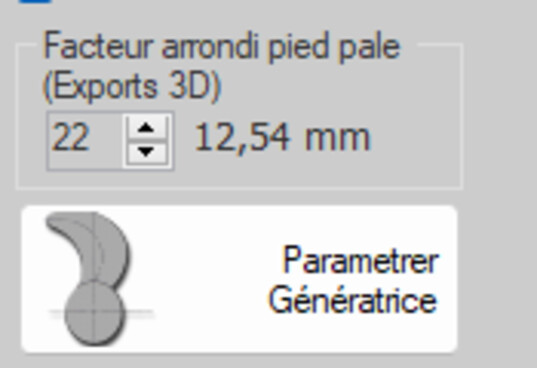
The fillet, in millimetres
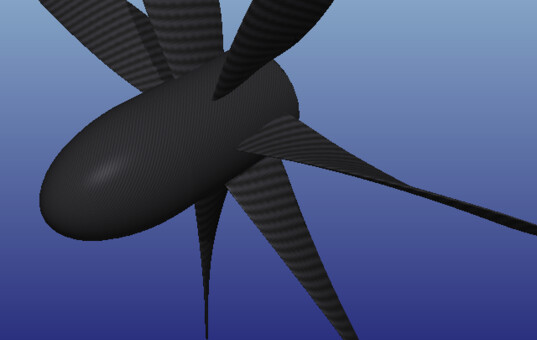
The junction with the hub
3: Smoothing the blade
The Lisser pale (smooth blade) button corrects irregularities in the chord and thickness distributions: they appear after successive forcings, after a reverse engineering from measurements, or after an automatic search. A word of caution: smoothing beautifies the geometry, it does not correct a design mistake. If a station is wrong, it stays wrong — more prettily.
4: What the export makes of it
Rounded tip and root fillet are carried by the STL, OBJ, STEP and GLB exports. Two other features of the exported geometry are set elsewhere but show up here: the hub taper, derived from the rake — the hub stays perpendicular to the generatrix at the blade root, as on a real propeller — and the trailing edge thickness, fixed at 0.5 % of the mean chord.
Going further: the 3D exports, the plate blade kit and blade strength.
 Global site map
 Mecaflux
 Tutorials Mecaflux Pro3D
 Tutorials Heliciel
 Tutorials Heliciel PRO CFD
 Mecaflux Store
 Compare software functions
 Quotes, Orders, Payment Methods
 project technical studies