
Measure chord, thickness and pitch angle at a few radii: Heliciel rebuilds the propeller and computes its performance.
Reverse engineering: the performance of an existing propeller
Three situations keep coming back: a propeller fitted on a boat gives disappointing results and you want to know why; a supplier offers a propeller without stating its performance; an old propeller has to be reproduced. In all three cases the geometry exists: it is the performance that is missing. That is exactly what reverse engineering does.
1: Measuring the real blade
At a few radii spread from root to tip, measure: the chord, the maximum thickness and the pitch angle of the section. A template, a caliper and a protractor are enough for a first pass; for a large blade, a photographed contour survey can be traced in the aerofoil drawing window.
The result of the calculation will never be better than the survey: that is the limit of the exercise, and it is better stated in the file.
2: Switching to reverse engineering mode
Tick Reverse engineering. The software stops deriving the geometry from your specification: it takes it as you give it, and computes what it produces.
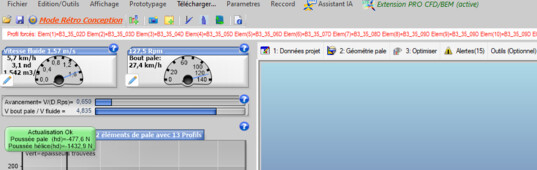
The mode is displayed: the geometry is imposed
3: Filling in the section grid
The grid receives, line by line, the radius of the measurement and the aerofoil of the section, chosen from the database. It accepts up to eight sections: enough to describe a blade faithfully, including a blade with a marked thickness evolution.
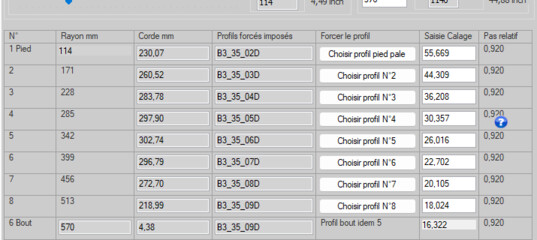
The section grid
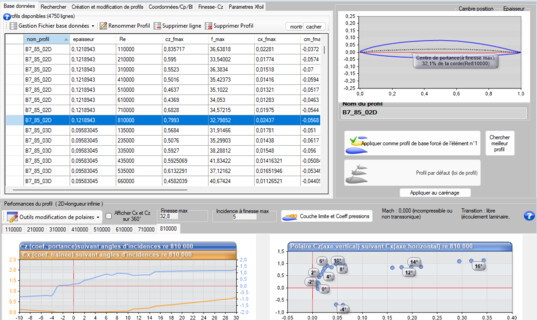
One aerofoil per section
4: Updating geometry and performance
The Performance testing (reverse engineering) button rebuilds the model and runs the calculation. If an aerofoil is missing from the open database, Heliciel looks for it in the other databases shipped — see the numerical wind tunnel.
The rebuild
5: Checking the likeness
Before making use of a single figure: compare the 3D model with the real part. A photograph of the blade next to the 3D view is enough to detect a reversed pitch, a badly measured chord or a grossly wrong section. This is the validity check of the whole approach.
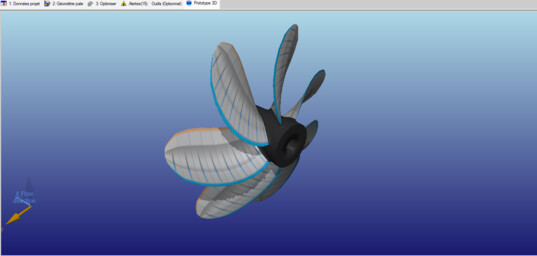
The rebuilt blade
6: Making use of the result
You now have the performance of the existing propeller at its operating point. Two natural continuations: the multiple analysis, for the complete range of speeds and rotation speeds; and the comparison with a free design to the same specification — this is how you put a figure on what a new propeller would bring.
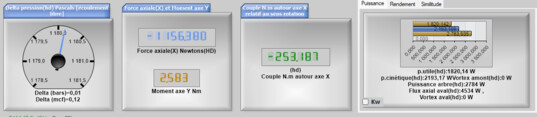
The performance of the existing propeller
Going further: modelling an existing propeller, rebuilding a propeller and the B series applied to reverse engineering.
 Global site map
 Mecaflux
 Tutorials Mecaflux Pro3D
 Tutorials Heliciel
 Tutorials Heliciel PRO CFD
 Mecaflux Store
 Compare software functions
 Quotes, Orders, Payment Methods
 project technical studies