
Bending under the loads of the fluid, tension under the effect of rotation: the two load cases Heliciel computes, and the ones it does not.
Blade strength: bending, internal structure, material, centrifugal tension
An optimal blade that breaks is not optimal. Two load cases dominate, and Heliciel computes both: the bending, produced by the loads of the fluid on the blade, and the centrifugal tension, produced by the rotation. The first bends the blade, the second stretches it — and one may relieve the other.
1: What is computed, and what is not
The scope is clear cut, and it is better known before drawing conclusions: Heliciel gives the bending moments element by element and the centrifugal tension along the blade. It does not deal with the torsion of the section, with cyclic fatigue, or with vibration modes. For a very slender, very fast blade, or one in a disturbed flow, a dedicated structural calculation remains necessary.
2: Choosing the material
Parameters menu > Edit Structure / Material. The material database shipped with the software provides the mechanical characteristics; it is what turns a moment into a stress, and a stress into a verdict.
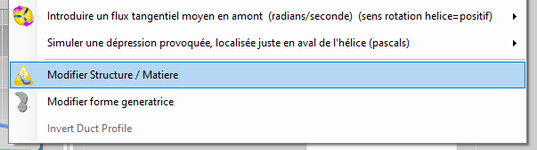
The menu entry
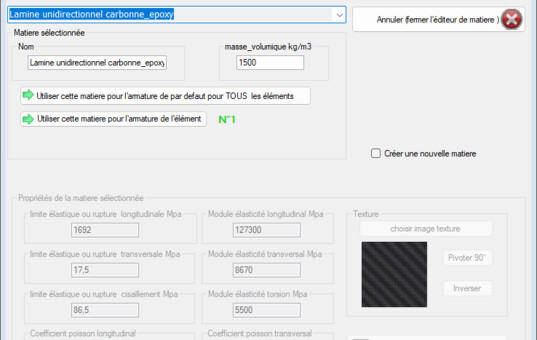
The material database
3: Defining the internal structure
The Elements structure tab describes the internal reinforcement of the blade: it is what takes most of the bending on a hollow or composite blade. Note one point the tab itself signals: these parameters are not recorded in the project. Write them down in your own file.
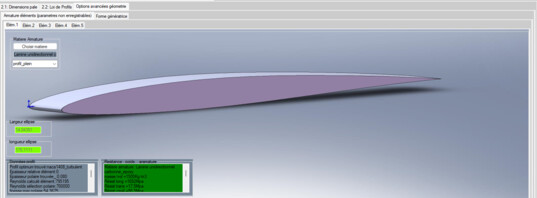
The internal structure of the blade
4: Reading the bending moments
The moments are read element by element, and can be displayed on the 3D prototype — the most telling way of seeing that everything happens at the blade root, where the lever arm is greatest.
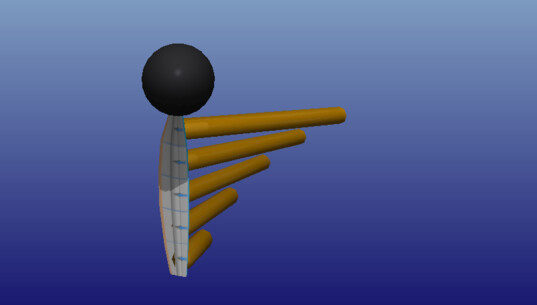
The moments, on the blade
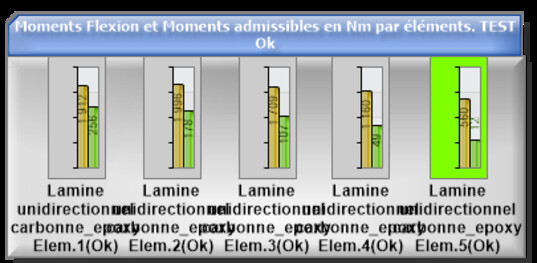
Bending, element by element
5: Reading the centrifugal tension
The Tension results tab carries the centrifugal tension curve. On a fast propeller it is a considerable force: it puts the blade in tension, and that tension can balance part of the drag or lift loads. It is a useful phenomenon, exploited on large blades — and one more reason not to judge a blade on its bending alone.
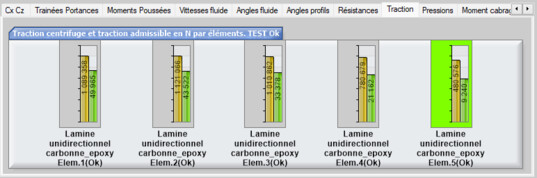
The centrifugal tension
6: The safety factor, and the alert
The safety factor can be set; it may be brought down to 1 when you want to read the raw stress, for instance to compare two materials. When the stress exceeds what the material accepts, Heliciel says so in its design alerts: errors, warnings and messages, with the suggested remedy.
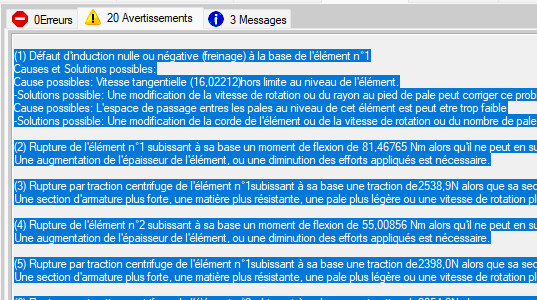
The alert
Going further: the blade or wing internal structure, the historical strength page and the plate blade kit.
 Global site map
 Mecaflux
 Tutorials Mecaflux Pro3D
 Tutorials Heliciel
 Tutorials Heliciel PRO CFD
 Mecaflux Store
 Compare software functions
 Quotes, Orders, Payment Methods
 project technical studies