
Every blade element reads a polar. The quality of your aerofoil database therefore makes the quality of your result: here is how to build it.
The numerical wind tunnel: polars, Reynolds and aerofoil databases
The blade element calculation does not know the shape of your aerofoil: it knows its drag and lift coefficients, read in a table, at the Reynolds number closest to the effective Reynolds of the element. In other words: the aerofoil database is the physics of your calculation. This tutorial shows how to build it for your case, instead of putting up with the one shipped.
- Tutorial outline:
- What the calculation reads in the database
- Computing the polars of an aerofoil
- Adding a Reynolds on demand
- The forced transition database
- The compressible databases
- The 2026 databases shipped
- Automatic import of a missing aerofoil
- Searching for the best aerofoil for an element
1: What the calculation reads in the database
For each blade element, Heliciel computes a Reynolds number — local chord, local relative speed, viscosity of the fluid — then looks in the database for the polar of the aerofoil at the closest Reynolds. If your element works at a Reynolds the database does not cover, the reading is made on the closest available point: correct, but less accurate. Hence the interest in completing the database.
2: Computing the polars of an aerofoil
The STEP 3: Create the polar profile group carries the automatic calculation. The core has been rewritten: it is faster, and offers an accelerated calculation mode. An Option low Reynolds increments in steps of 10,000 up to 100,000, for very small blades and models, where polars change fast.
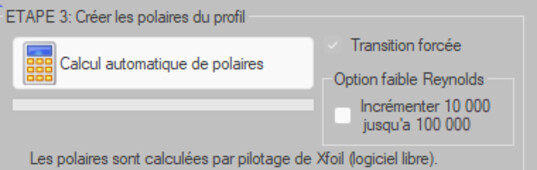
The automatic polar calculation
3: Adding a Reynolds on demand
The Search by Reynolds and thickness, with an adjustable admitted gap, is used to find what the database already contains. When it does not contain what is needed, the Add a Reynolds number tool runs the calculation at the Reynolds you state and integrates it permanently into the database for that aerofoil.
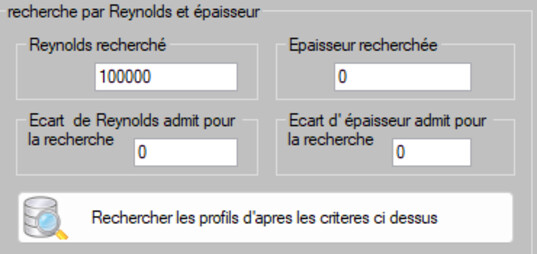
Find, or complete
4: The forced transition database
Standard polars assume a boundary layer that stays laminar until its natural transition. That is the case of a smooth aerofoil in a clean flow — and it is not the case of a painted blade, a rough blade, a wing placed in the wake of another, or a rotor in a turbulent current.
The Compute the current base with forced transition (_turbulent) entry produces a twin database where the boundary layer is turbulent from the leading edge onwards. You keep both, and you choose the one that describes your installation. The Forced transition checkbox otherwise lets you treat a single aerofoil.
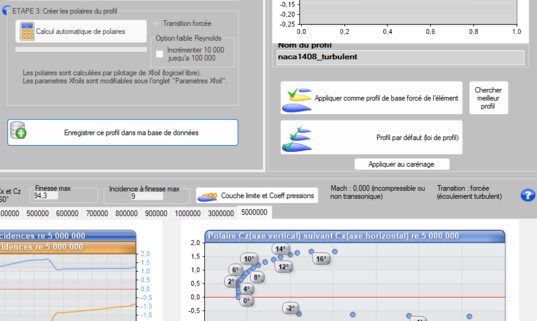
The twin database, boundary layer turbulent from the leading edge
5: The compressible databases
The Compute the compressible bases (forced transition + Mach) entry adds the effect of the Mach number. It matters for fast blade tips: aircraft propellers, fans with a high tip speed. The polar displayed then carries its Mach and its transition state, which avoids confusing two tables of the same aerofoil.
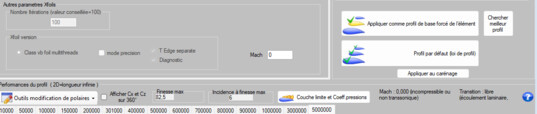
Mach and transition, displayed with the polar
6: The 2026 databases shipped
Three databases are shipped and kept up to date: naca_heliciel_2026 (the classical NACA families), Heliciel_marines_2026 (aerofoils oriented towards marine propellers) and Clark_2026. They form the common stock; your own aerofoils and your own Reynolds numbers are added to them.
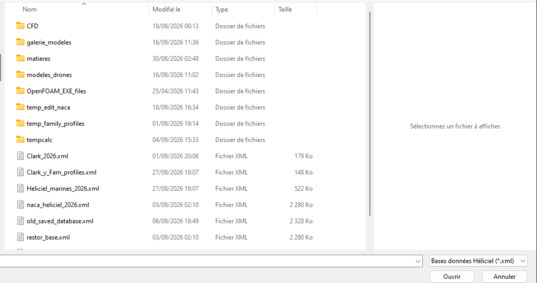
The databases shipped
7: Automatic import of a missing aerofoil
Opening a project calling for an aerofoil absent from the current database used to be a dead end. Heliciel now goes and looks for it in the other databases shipped and adds it, with its polars, to the open database. The message announcing this is worth reading: it tells you where the aerofoil you are about to use comes from.
8: Searching for the best aerofoil for an element
The Search best profile button works on the selected blade element: it compares the available aerofoils at its operating Reynolds, and not in the absolute. That is an important nuance: the best aerofoil at the blade root is almost never the one at the tip.
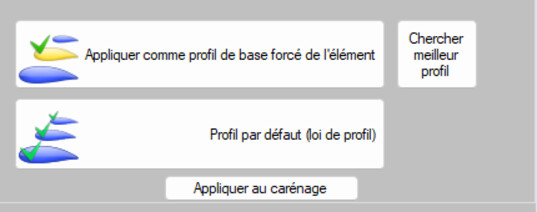
The best aerofoil for that particular element
Going further: using the aerofoil database, the choice of blade sections, the aerofoil selection laws and draw and correct an aerofoil.
 Global site map
 Mecaflux
 Tutorials Mecaflux Pro3D
 Tutorials Heliciel
 Tutorials Heliciel PRO CFD
 Mecaflux Store
 Compare software functions
 Quotes, Orders, Payment Methods
 project technical studies