
Sweep, rake, dihedral, curvature: the generatrix decides the look of the blade or of the wing, and the quality of the exported surfaces.
The generatrix: sweep, dihedral, curve and bi-spline
A blade is not only a series of sections: it is a series of sections threaded on a line. That line, the generatrix, decides the sweep, the rake, the dihedral — and the quality of the surface your CAD package will receive.
1: What the generatrix does
Straight, the generatrix gives a "classical" blade, sections aligned on a radius. Curved, it offsets the sections with respect to one another: this is how a swept blade, a consistent conical hub, or a wing with dihedral are obtained.
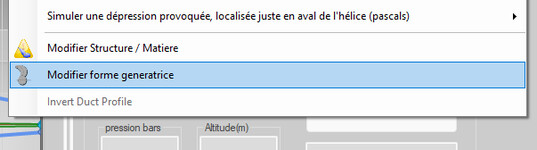
The menu entry
2: Switching to a curved generatrix
In the advanced geometry options, the Blade generator curved or conical option opens the settings: you handle the line, and the blade follows.
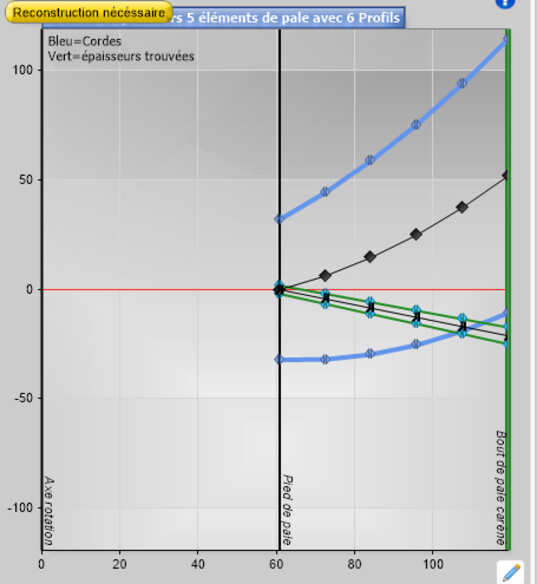
The generatrix settings
3: Sweep and rake of a propeller
On a propeller, the generatrix carries two effects that are often confused: the sweep (offset of the sections in the direction of rotation, which softens the entry of the blades into a wake and changes the acoustic signature) and the rake (offset along the axis, which clears the blade tip from the hull or from the duct). The rake has a direct consequence on manufacturing: the taper of the hub follows from it, the hub staying perpendicular to the generatrix at the blade root.
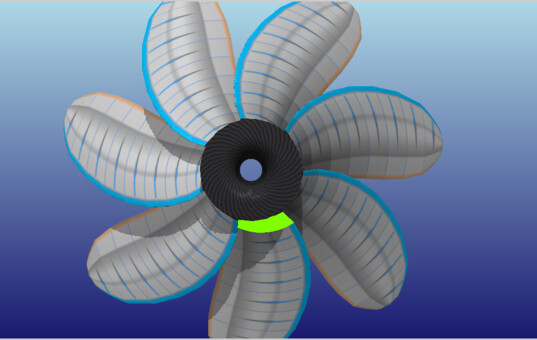
A swept blade
4: The dihedral of a wing
Wing modelling used to offer a sweep, but no dihedral: this has been corrected. The generatrix interface now drives both, which opens the modelling of real wings — the stability dihedral of an aeroplane, the anhedral of a foil, the curvature of a drone wing.
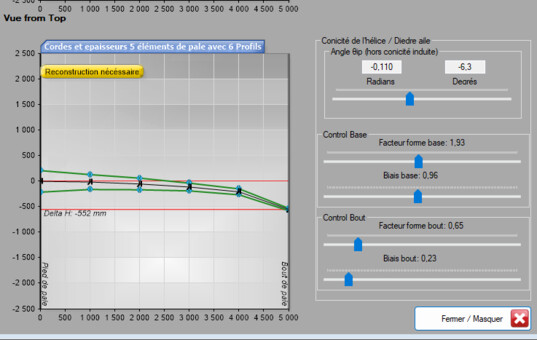
The dihedral of a wing
5: The bi-spline controls
Wings and foils further offer bi-spline controls: the surface is no longer only an interpolation between sections, it is driven in both directions. That is what you need when the surface has to be beautiful in the CAD sense — continuous, with neither facet nor crease — because it is going to be machined or moulded.
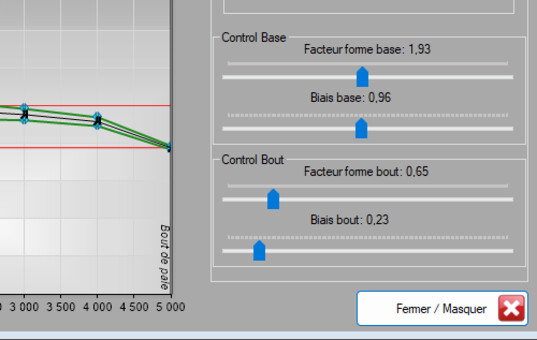
The bi-spline controls
6: Exporting the surface
The IGES export hands these smoothed surfaces to CAD as they stand. A last piece of method: a strongly curved generatrix moves the sections, and therefore the radii at which they work. Recompute before drawing any conclusion on performance.
Going further: the historical page on the generatrix, propeller geometry and the winglet.
 Global site map
 Mecaflux
 Tutorials Mecaflux Pro3D
 Tutorials Heliciel
 Tutorials Heliciel PRO CFD
 Mecaflux Store
 Compare software functions
 Quotes, Orders, Payment Methods
 project technical studies