
Sizing a boat propeller starts with one figure: the resistance of the hull to advance. That study is carried out in the "Ship waves" window.
Ship waves and hull resistance: the study that precedes the propeller
A boat propeller is sized on a thrust. That thrust is the resistance of the hull to advance at the speed aimed at: as long as it is unknown, everything else — diameter, pitch, rotation speed, engine power — rests on an assumption. Heliciel computes that resistance, and at the same time shows what produces it: the wave system the hull drags behind it.
What you do in this tutorial: set up a hull, compute its wave field, derive a resistance from it, then turn that into a specification for the propeller.
- Prerequisite: no particular project — this window is self-contained;
- Duration: one wave field calculation and one resistance reading;
- What you get out of it: a resistance curve against speed, and the wake picture that goes with it.
- Tutorial outline:
- Why the hull before the propeller
- Opening the wave study
- Choosing or loading the hull
- Setting the flow and the amendments
- Reading the wave field and the wave resistance
- Adding the propeller
- The Resistance tab: the total resistance
- Working without a hull, from a hull data sheet
1: Why the hull before the propeller
The resistance of a hull is not a constant: it grows with speed, and not smoothly. Part of it comes from friction on the wetted surface, another from wave making — the energy the hull leaves behind on the water. It is that second part which explains the steps and humps of the resistance curve, and it is the one Michell theory allows to be computed from the shape of the hull.
2: Opening the wave study
Edit / Tools menu > Hydrodynamics > Ship Waves. Heliciel drives only one 3D scene at a time: the display of the propeller prototype is paused during the study, and starts again when the window is closed.
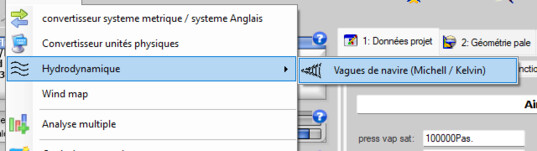
The menu entry
3: Choosing or loading the hull
In the Model and waves tab, Hull group, two routes:
- an analytical hull from the library shipped: its shape is described by an equation, its dimensions are yours. This is the preliminary design route, and the one for comparisons;
- a hull loaded from a file: your real hull. Heliciel then measures for itself the hydrostatic characteristics the resistance methods need.
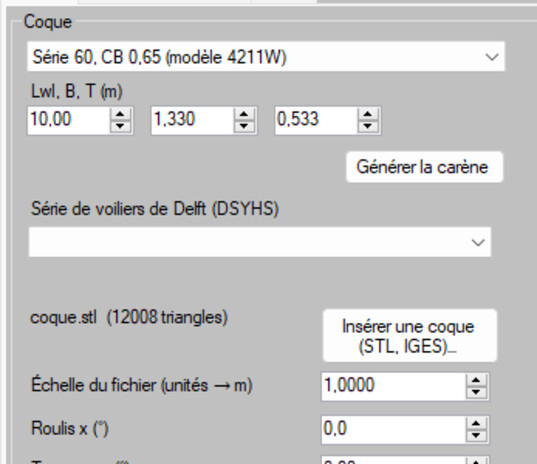
Library of analytical hulls, or a loaded hull
4: Setting the flow and the amendments
Simulation parameters tab. The Flow group carries the speed of advance and the conditions of the water. The Model amendments (thin-ship theory) group deserves a word: Michell theory assumes a hull that is thin compared with its length. That is an assumption, not a truth; the amendments are there to correct its known effects. A very full hull falls outside the domain of validity of thin-ship theory: the wave resistance computed then becomes indicative.
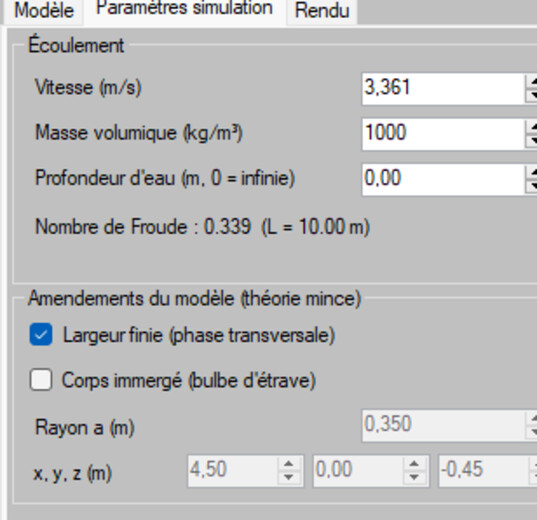
The flow and the amendments of thin-ship theory
5: Reading the wave field and the wave resistance
The calculation produces two things. First the Kelvin wave system: that V-shaped wake, whose half angle is a constant of physics in deep water, and whose transverse and divergent crests appear distinctly in the scene. Then the wave resistance integrated by Michell theory: a figure, in newtons, for the speed requested.

The Kelvin wake: the energy the hull leaves on the water
6: Adding the propeller
The Propeller (thrust disk) group introduces the action of the propeller into the field. You then see what the installation changes in the wake — the opening move of hull-propeller interaction, which the resistance curve alone does not show.
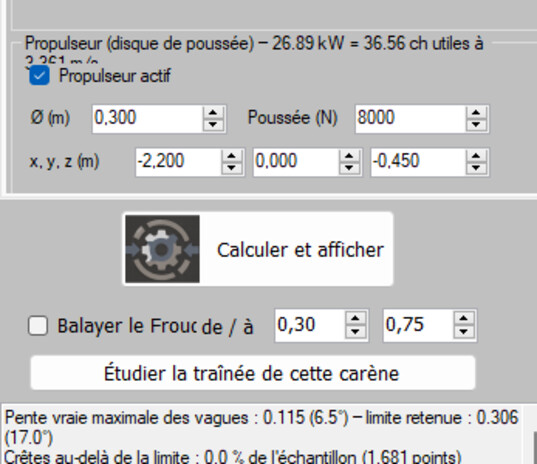
The thrust disk in the wave field
The Rendering tab is then used to produce a picture that reads well in a file: domain and rendering, wind foam, marking of the breaking crests.
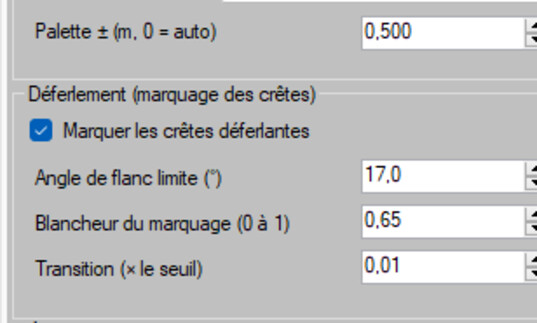
The rendering: the same physics, made presentable
7: The Resistance tab — the total resistance
The Resistance tab turns the study into a usable figure. You start with the Ship type group: cargo ship, tanker, trawler, frigate, cruising sailing yacht, racing yacht, dinghy, slow launch, fast planing launch, rigid inflatable… That choice is not cosmetic: it determines the method used, and therefore the data to be gathered.
- Generic ITTC: the classical friction line, when you know the wetted surface and the form factor of your hull;
- Holtrop & Mennen: displacement hull, wave resistance included, from the hull geometry alone;
- Savitsky: hard-chine planing hull, with equilibrium trim and porpoising margin.
When a hull is loaded, the Measured on the hull block is filled in by the geometry: you have nothing to copy out, and nothing is assumed.
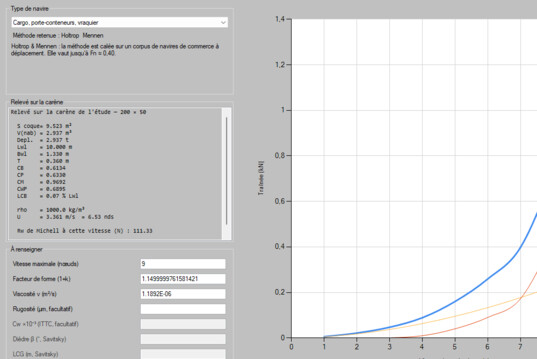
The ship type chooses the method; the loaded hull supplies the quantities
8: Working without a hull, from a hull data sheet
It happens that you do not have the hull as a file, but you do have its characteristics: a yard specification, a
towing tank report, a data sheet. In that case, load no hull at all: the block becomes editable,
and Heliciel displays a quantity = value template listing only the quantities actually used by the
method chosen. Changing the ship type regenerates the template without erasing what you have already typed.
A missing line, a unit out of range, an unknown quantity: the entry is refused, naming the offending line. No value is supplied for you, no accommodating average is invented — that is a design rule of Heliciel, and it holds here as everywhere else.
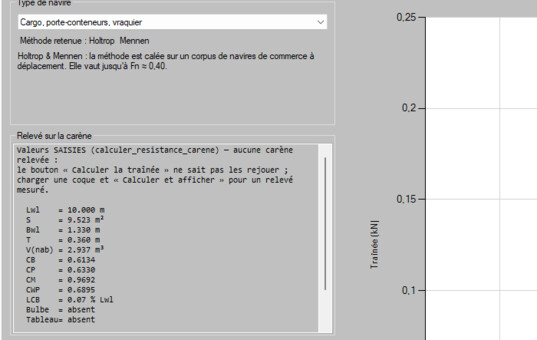
With no hull loaded: the hull is declared, line by line
The Files menu of the window finishes the job: picture of the wave field, ζ(x, y) table in CSV format, saving of the parameters and of the project. The export of the hull to STL has stayed in the Hull group, where the hull is loaded.
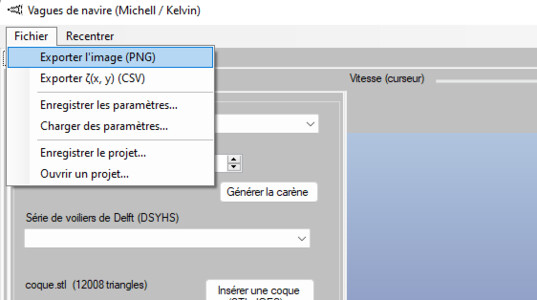
The outputs: hull, picture, CSV
And then? The resistance you have just computed is the thrust the propeller will have to produce. Carry on with the Wageningen B series for a first propeller choice, or with the boat propeller design tutorial for a complete design. To go and look at the flow itself, the page From the hull to the propeller takes up the same chain on the CFD simulation side.
 Global site map
 Mecaflux
 Tutorials Mecaflux Pro3D
 Tutorials Heliciel
 Tutorials Heliciel PRO CFD
 Mecaflux Store
 Compare software functions
 Quotes, Orders, Payment Methods
 project technical studies