
Two conventions explain most of the "inconsistent" results reported by users. They fit in one page.
Direction of rotation and half wing: the Heliciel conventions
Two conventions, two classical sources of error: you believe you have a left-handed propeller when you are looking at it from upstream, and you compare the lift of a half wing with the lift of a full wing. Both are settled in a minute, provided you know what Heliciel means by them.
1: The direction of rotation, a single definition
The definition applied by Heliciel holds for all machines: pushing propellers, tractor propellers, wind turbines, hydro turbines, Kaplan turbines.
- Propeller turning right (ClockWise): the observer placed downstream of the propeller sees a rotation to the right, clockwise;
- Propeller turning left (CounterClockWise): the same observer sees an anticlockwise rotation.
The point that causes confusion is the point of view: downstream, not upstream. Looking at the same propeller from the other side reverses the apparent direction — and that is the origin of almost every disagreement about the direction of rotation, in workshops as well as in catalogues.
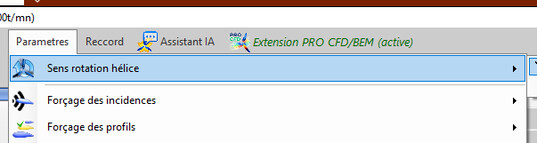
The setting
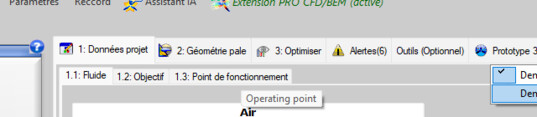
Seen from downstream: right-handed, left-handed
The choice is kept throughout the session and recorded in the project: a left-handed propeller reopened stays left-handed, and exports left-handed. The export frame does not change for all that: the X axis remains the axis of rotation.
2: The half wing, and the full wing
For a wing or foil project, the model loaded is a half wing: the span described is a half span, and the loads computed are those of that half. This is consistent with the symmetry of the problem, and it is the convention of most wing calculations.
The Full wing Performances option assembles two symmetrical half wings: the display shows the whole wing, and the performance figures are those of the whole wing. Both readings are correct; what is not is comparing one with the other without knowing it. In wing mode the same submenu offers Half left wing and Half right wing.
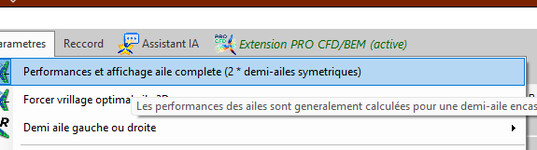
The full wing option
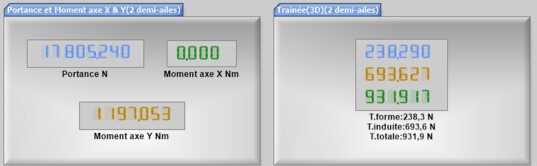
The two readings of the same results
3: Exporting a wing
The exports follow the same logic: full wing, left half wing or right half wing, according to what your CAD package or your workshop expects.
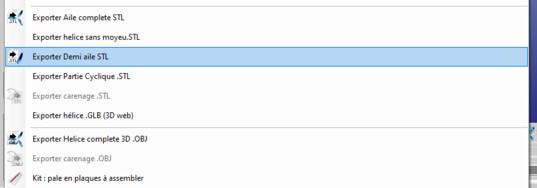
The wing exports
4: Frequent mistakes
- concluding that the thrust is reversed because the rotation was read from upstream;
- comparing the lift of a half wing with that of a full wing and believing in a factor of two error;
- ordering a "left-handed" propeller from a supplier who uses the other convention: stating the point of view in the order settles the question.
 Global site map
 Mecaflux
 Tutorials Mecaflux Pro3D
 Tutorials Heliciel
 Tutorials Heliciel PRO CFD
 Mecaflux Store
 Compare software functions
 Quotes, Orders, Payment Methods
 project technical studies