
Instead of opening the models one by one to find out what they look like, browse them in 3D — then add your own.
The model gallery: choosing your starting point
A Heliciel project almost always starts from a model: air or water propulsion propeller, ducted fan, axial pump, wind turbine, hydro turbine, Kaplan turbine, wing, hydrofoil, hull. Still, you have to know which one to take. The model gallery shows them in 3D before you open them.
1: Opening the gallery
Files menu > Model gallery.... The models shipped with the software appear as thumbnails that can be rotated: the blade shape, the number of blades, the duct if any are seen immediately.
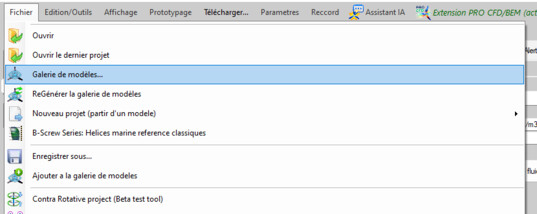
The three entries of the Files menu

The gallery: the models shipped, in 3D
2: Browse, then open
Each model can be handled: rotation, reading of its data sheet. Once opened it becomes the current project, with its fluid, its operating point and its geometry: it is a complete project, not a mere template. You then modify it like any other project.
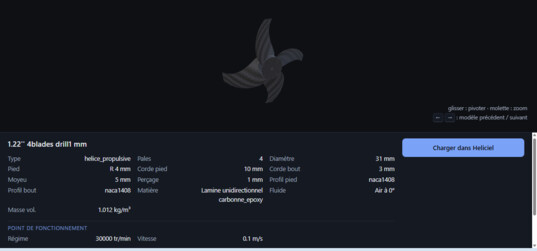
A model, its shape and its data sheet
3: Putting your own projects into it
The gallery is not reserved for the models shipped. Ajouter a la galerie de modeles (add to the model gallery) drops the current project into it: study after study, you build up a library of starting points — your own propeller families, your ducts, your reference wings. Generate model gallery (web)... recomputes the thumbnails after an addition.
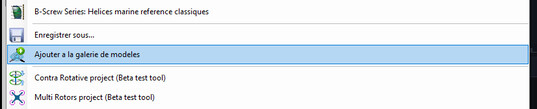
The current project joins the library
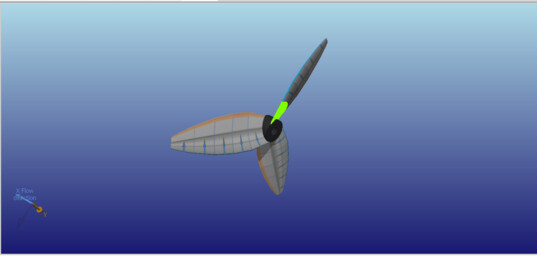
The chosen model, turned into a working project
Going further: the
online model gallery shows the same families in your browser (its
pages are in French), and the classical way of opening a
project remains available for your .hlc files.
 Global site map
 Mecaflux
 Tutorials Mecaflux Pro3D
 Tutorials Heliciel
 Tutorials Heliciel PRO CFD
 Mecaflux Store
 Compare software functions
 Quotes, Orders, Payment Methods
 project technical studies