
Airfoil and hydrofoil profile database: performance, polars and download
The Heliciel airfoil and hydrofoil profile database holds the performance of each profile the software needs to compute a propeller or a wing: lift coefficient Cl, drag coefficient Cd and moment coefficient Cm, for each angle of attack and each Reynolds number. These profile polars are fed by automatic XFOIL calculations. This page explains where they come from, how Heliciel uses them and how to download extra databases for free.
On this page:
- Profile performance and polars: why we need them
- The Heliciel interactive profile database
- XFOIL: the numerical wind tunnel for computing a profile
- Free download of profile databases (NACA, symmetrical, screw series)
- How to add a profile database to Heliciel
1: Profile performance and polars: why we need them
When we design a propeller or a wing, we are soon confronted with the choice of the profile, or rather the profiles, that will shape the blade. To choose an aerodynamic or hydrodynamic profile, we must be able to evaluate its performance in the situation that interests us.
The Wright brothers (1901) were pioneers, not only through their flight but above all through their search for the optimum shape of their wings. They built a wind tunnel, exposed profile shapes to an air stream of variable speed and methodically recorded the drag and lift. The partner site mecaflux.com offers an application illustrating the Wright brothers' work, with additional information on wind tunnels.
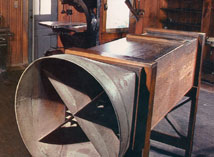
A wind tunnel from 1901: lift and drag measurements began here.
Wind tunnel tests of profiles are still current. Even though computational tools help us, for many projects they remain the final test before construction. Performance is recorded as lift (Cl), drag (Cd) and moment (Cm) coefficients, for each angle of attack tested.
The Cl curve as a function of the angle of attack tells us about the stall limit:
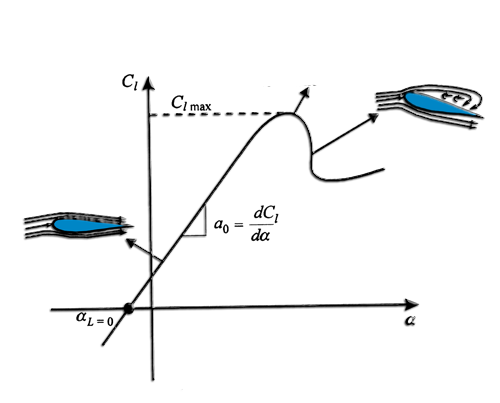
Cl grows linearly with the angle of attack, reaches a maximum, then drops at stall, when the flow separates from the profile.
The Cd and Cl data plotted against each other are called Eiffel polars. They give a quick analysis of the profile:
- the horizontal tangent gives the maximum lift;
- the vertical tangent gives the minimum drag;
- the tangent through the origin gives the best lift-to-drag ratio (Cl/Cd);
- the intersection with the Cd axis gives zero lift.
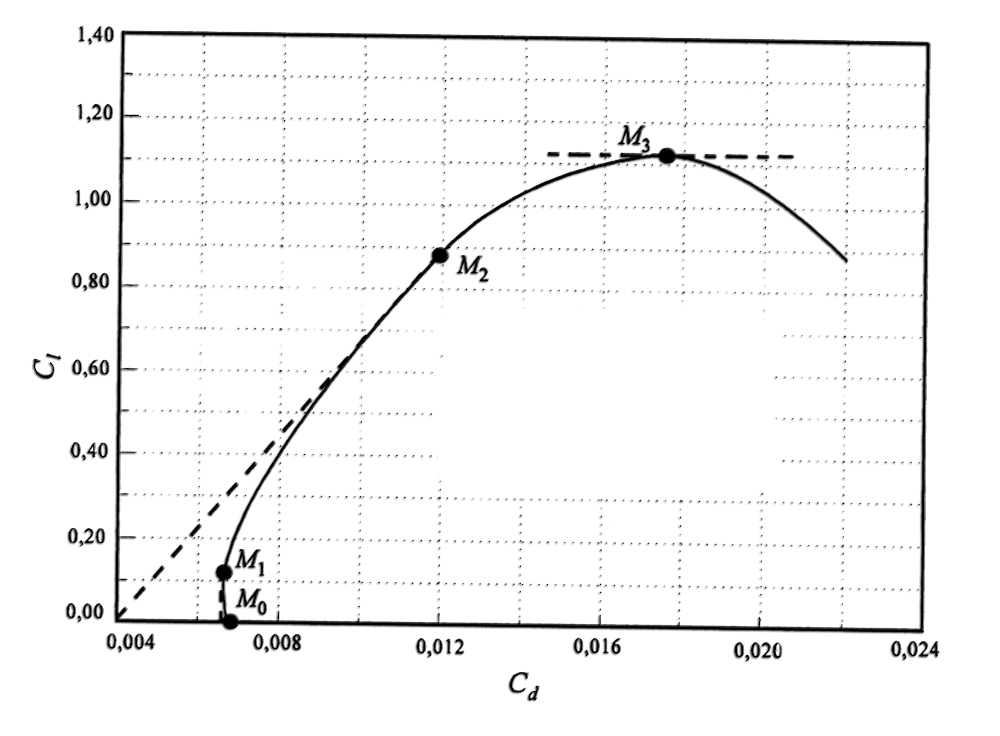
On the polar, M0 marks zero lift, M1 minimum drag, M2 the best lift-to-drag ratio and M3 maximum lift.
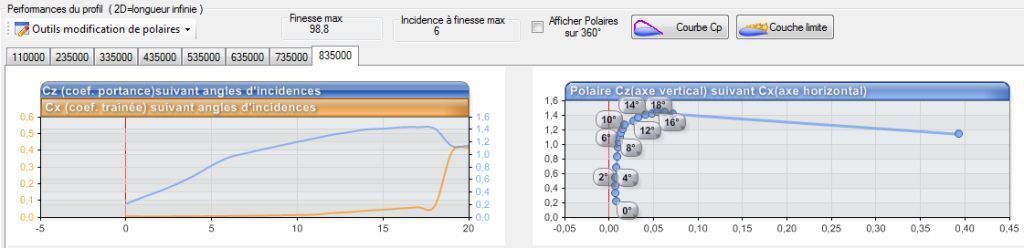
The same curves in the Heliciel database: Cl and Cd against angle of attack (left), polar (right), one tab per Reynolds number.
Why one tab per Reynolds number? Reynolds opened the way to comparing fluids and scales through the Reynolds number. Thanks to it, we can apply to water the performance of a profile tested in air. Performance is therefore given not by test speed but by Reynolds number. At the same Reynolds number, and as long as there is neither cavitation nor compressibility effect, an aerodynamic database remains valid in hydrodynamics and for models of different sizes.
Having these data at hand is therefore essential. We can look them up in the literature or measure them on models, but the time and means this takes limit our choice of profiles. Numerical calculation, with "digital wind tunnels", provides part of the answer.
2: The Heliciel interactive airfoil and hydrofoil database
Heliciel uses data computed by a numerical wind tunnel and stored in a database. Several hundred hours of automated calculation are available below, free to download.
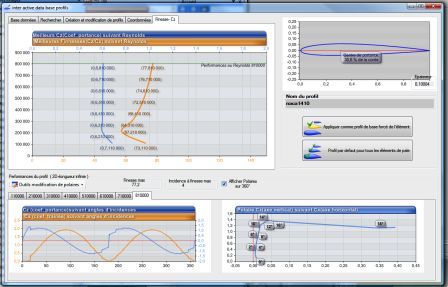
Performance of a NACA profile for a chosen Reynolds number, in the Heliciel interactive database.
This database is interactive because it constantly dialogues with the software. It supplies Heliciel with profile data according to the geometry of the wing or blade you have drawn. During the calculation of induced velocities, Heliciel consults it to update the lift, drag and moment coefficients.
The choice of profile can be set in several ways:
- by default, Heliciel picks from the database the profile with the best lift-to-drag ratio at the Reynolds number computed from the operating conditions you impose;
- you can choose another selection method, or select by hand the profile of each element of the blade or wing;
- you can also impose a single profile, identical for all elements.
Search and management functions let you save derived databases, which contain for example only flat profiles or only NACA profiles. You then force Heliciel to use only the profiles you have chosen.
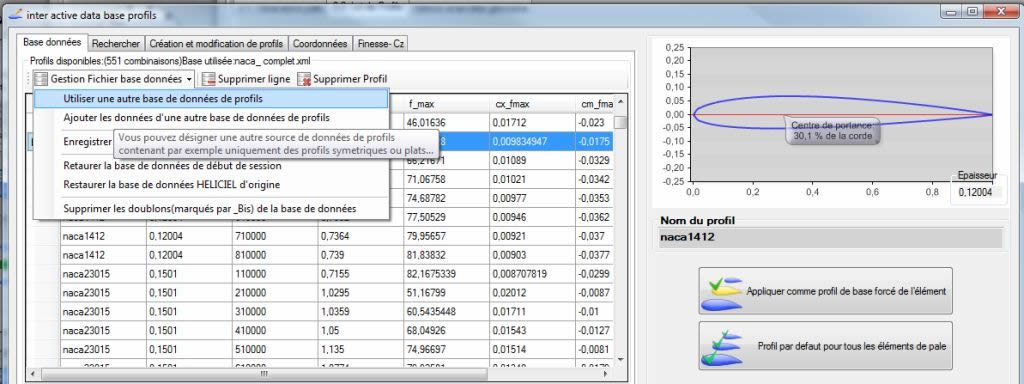
The database file management menu lets you switch to another profile database.
Profile performance is given for wings without tip effects: these are 2D (two-dimensional) performances. Heliciel turns them into 3D performance through the calculation of induced velocities and tip losses, then computes the performance of each element of the blade or wing.
To learn more about using it, see the user guide of the interactive profile database.
3: XFOIL: the numerical wind tunnel for computing a profile
The interactive database automatically drives XFOIL, the numerical wind tunnel of Professor Mark Drela (MIT). It also contains a profile editor: you draw a profile, and XFOIL computes its performance with no further action on your part. The profile can then be added to the database. XFOIL may however fail if the profile strays too far from a classical aerodynamic shape.
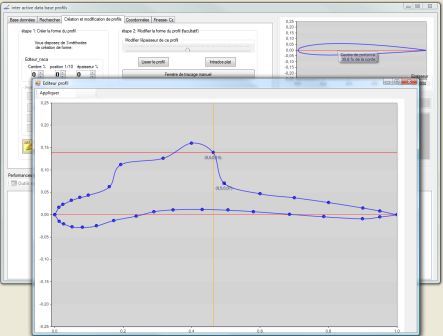
A user trying to make a boa that has swallowed an elephant fly... Who said this profile looks like a hat?
The performance in the database comes from this automatic driving. The database analyses outlying results and corrects them. Heliciel then completes the polars over 360°: by symmetry for symmetrical profiles, and by inserting flat-plate performance for angles of attack above the lift drop that reveals stall.
XFOIL is an excellent numerical wind tunnel, hard to beat. It is free and distributed under the GNU GPL (General Public License), and can be downloaded from the XFOIL page at MIT. It is an interactive program for the design and analysis of isolated subsonic profiles. Among other things, it offers:
- analysis of a profile with viscosity taken into account (Reynolds number);
- multipoint aerodynamic design, by interactive specification of the velocity distribution with the mouse;
- direct manipulation of the geometry (flaps, camber, contour deformation...);
- polar calculation at fixed or varying Mach and Reynolds numbers;
- writing and reading of geometry and polar files;
- plotting of the geometry, pressure distributions and polars.
4: Free download of profile databases (NACA, symmetrical, screw series)
Heliciel makes available for free the result of several hundred hours of automated profile performance calculations. These data come from the automatic driving of XFOIL by the interactive database, which corrects outlying results and then completes the polars over 360°. They are provided as is: please report any anomalies you detect.
How to choose? For an aircraft propeller, a fan or a wind turbine, the default NACA database suits most cases. For a marine propeller, the "screw series" databases correspond to the profiles actually used on boat propellers. For a propeller that must push just as well in reverse, the database symmetrical about both axes is the best fit. Each database is loaded in place of the previous one: we can therefore try several on the same project and compare the results.
NACA profiles:
- profils_naca Heliciel3: NACA profiles in high definition (140 points), archive of about 1 MB. This is the default database supplied with Heliciel.
Aero/hydrodynamic profiles with camber:
- profils_naca Heliciel3_cambre: cambered NACA profiles, archive of about 0.6 MB.
Symmetrical aero/hydrodynamic profiles:
- profils naca Heliciel3 symmetrical: only profiles symmetrical about the x axis (the chord), for designing rudders, airship-type hulls, submarines, cockpit boats or fuselages (archive of about 0.4 MB).
- Profiles symmetrical about the x axis (the chord) and the y axis (vertical): this database lets you design propellers whose performance is identical going forward or in reverse (archive of about 0.1 MB).
The classical "screw series" profiles: these are the most widely used marine blade shapes. Their maximum thickness lies near mid-chord, which spreads the maximum suction on the upper surface and pushes back the cavitation limit. Their sharp leading edge also gives good performance in reverse.
These databases are sorted by the number of blades they are meant for (B3 for 3 blades, B4 for 4 blades...). In each database, profiles are named after their position on the radius and their developed area ratio, which lets you quickly assess the working blade area that must generate the thrust. Example: profile B3-45-02D belongs to a 3-blade propeller whose developed area is 45% of the swept disc area, at radius 0.2 R.
- profils_B3-screw series: 3 marine blades (low definition, archive of about 70 kB).
- profils_B4-screw series: 4 marine blades (low definition, archive of about 80 kB).
- profils_B5-screw series: 5 marine blades (low definition, archive of about 70 kB).
- profils_B6-screw series: 6 marine blades (low definition, archive of about 35 kB).
- profils_B7-screw series: 7 marine blades (low definition, archive of about 50 kB).
5: How to add a profile database to Heliciel
To use a downloaded database, follow these two steps:
- Download the database, unzip it and save it in the "My Documents/Documents Heliciel/" folder.
- In the File data base management menu of the interactive database, choose use another database profiles, then select the downloaded database.
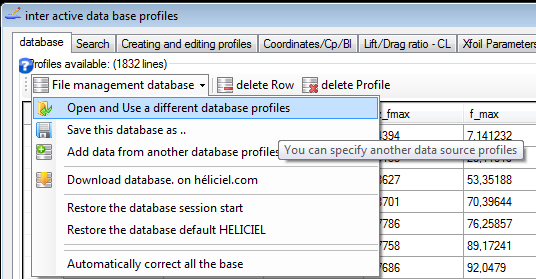
The file management menu: the "use another database" entry loads the downloaded database.
If the loaded database does not contain the default profile of your project, Heliciel reports it with a message and designates another default profile.
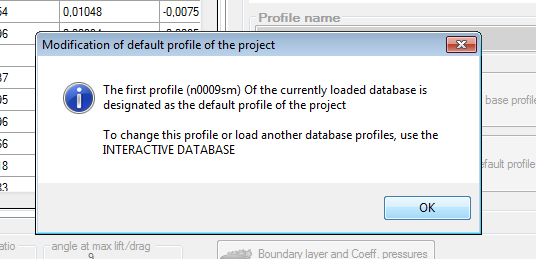
The warning message that signals the change of the project's default profile.
The window of the interactive database has tabs for the database itself, searches, profile creation and modification, coordinates and the lift-to-drag ratio. Its file management menu lets you switch database, add the data of another database or restore the original database.
To go further, we can see how the profile law controls how Heliciel uses your profiles, how to choose the profile of each blade element, or how to draw and correct a profile.
 Global site map
 Mecaflux
 Tutorials Mecaflux Pro3D
 Tutorials Heliciel
 Tutorials Heliciel PRO CFD
 Mecaflux Store
 Compare software functions
 Quotes, Orders, Payment Methods
 project technical studies