
Blade Generatrix and Pitching Moment: Setting It in Heliciel
The blade generatrix is the line along which the sections of a blade or wing are aligned; its position relative to the blade's pivot axis sets the pitching moment, that is, the tendency of the blade to pitch up or plunge under load. Here we see how this moment arises from lift and drag, what it changes for a wing or a propeller, and how Heliciel lets you set the generatrix, straight or curved.
On this page:
- Where the pitching moment comes from
- Pitch-up and plunging moments: effects on the blade
- Setting a straight generatrix in Heliciel
- Curved or conical generatrix (skew and rake)
- What the calculation takes into account, and what it ignores
1: Where the pitching moment comes from
The lift and drag forces acting on a wing or a propeller blade first produce a moment about the X axis: the rotation axis for a propeller blade, the roll axis for a wing. They also produce a pivoting moment about the Y axis, the blade axis, which corresponds to pitching.
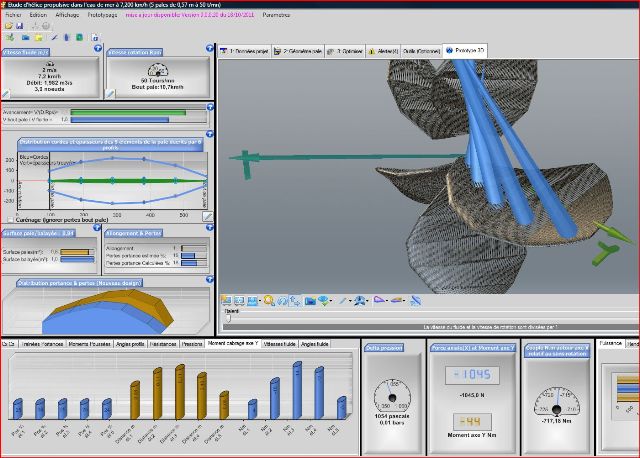
The 3D view shows the lift of each blade element; the bar chart at the bottom, on the pitching-moment tab, gives the moment about the Y axis element by element.
Here we call the pivoting moment about the Y axis the pitching moment. It is computed relative to the line of the sections, the generatrix: the farther the lift acts from this line, the larger the moment. Think of a door: the force is the same, but it turns the door more easily the farther from the hinges you push.
2: Pitch-up and plunging moments: effects on the blade
The pitching moment can be pitch-up or plunging. The rule is simple: if the lift acts ahead of the generatrix, it tends to raise the leading edge; if it acts behind it, it tends to lower it.
- A pitch-up moment tends to raise the front of the blade or wing by increasing the angle of attack. A wing that pitches up naturally increases its angle of attack and can stall: it becomes dangerous. A propeller blade that pitches up under load increases that load, which can lead to breakage. A very flexible blade could also use this to regulate rotation speed as a function of power, along a curve different from that of a fixed-incidence profile; this requires a perfect knowledge of the blade's mechanical strength and elasticity.
- A plunging moment tends to make the front of the blade or wing dive by reducing the angle of attack. That reduction can speed up the wing and move it away from stall; but if the angle of attack falls below the zero-lift angle, the blade may close up, which is dangerous. Following how the pitching moment evolves with the angle of attack makes it possible to create self-stable profiles: a wing whose moment is pitch-up at low angles of attack and plunging at high ones balances itself naturally. A propeller whose blades have a plunging moment protects itself from overload, which can be a safety factor.
It is therefore important to master this moment in order to master how the blade or wing reacts.
3: Setting a straight generatrix in Heliciel
By positioning the generatrix of the sections relative to the pivot point (the Y axis) and to the points where lift acts, you control the character of the blade or wing. Heliciel sets the generatrix in tab 2: Blade geometry, sub-tab Advanced Geometry, page Shape of blade generator. Two setting modes are offered: the straight blade generatrix (simple shape) and the blade generator curved or conical (complex shape).

The generatrix shape page, straight generatrix: the slider places the generatrix between the leading edge (left) and the trailing edge (right), here at 1% of the chord.
The Distance Edge attack <-> generatrix slider sets the position of the generatrix along the chord of the sections. Let us look at four settings of the same blade.
Generatrix on the leading edge. The pitching moment is plunging: the lift acts behind the generatrix.
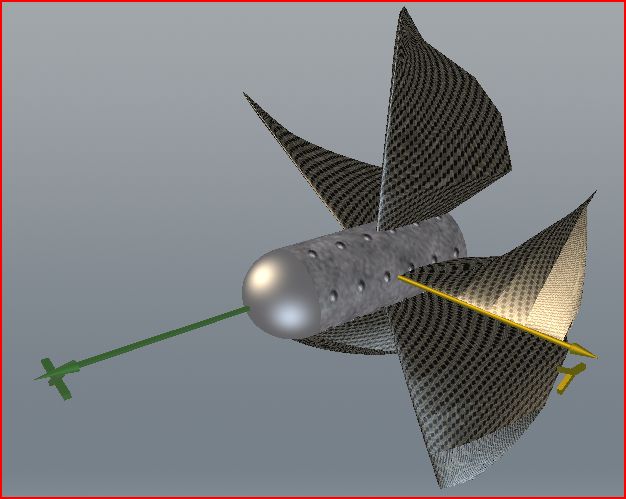
Generatrix on the leading edge: the alignment line of the sections runs along the front edge of each blade.
Generatrix on the trailing edge. The pitching moment becomes strongly pitch-up: the lift acts far ahead of the generatrix.
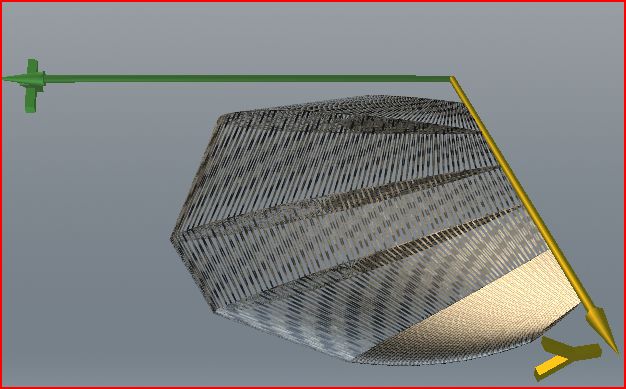
The same blade with the generatrix on the trailing edge.
Generatrix centered at 50% of the chords. The pitching moment is pitch-up, but less so than on the trailing edge.
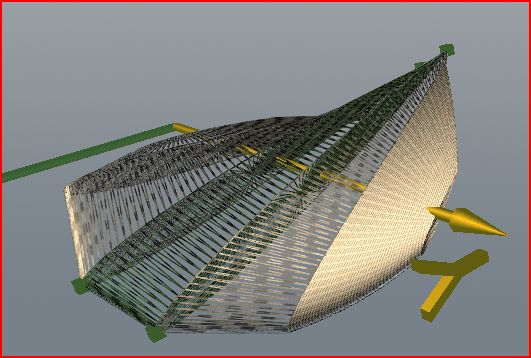
The same blade with the generatrix at mid-chord.
Generatrix on the lift centers. By ticking the Option generator on lift center option, you align the generatrix on the lift centers of the sections: the lift then passes through the generatrix and the pitching moment becomes zero, or very low.
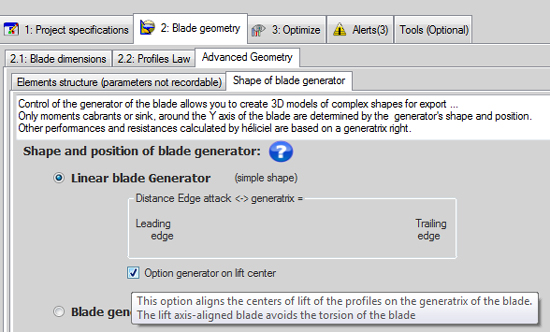
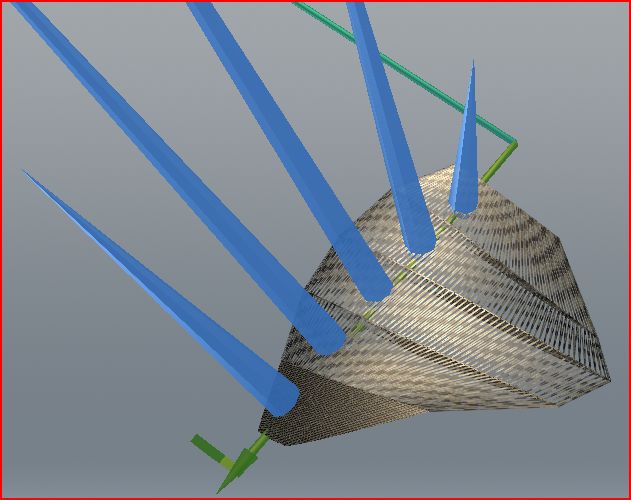
The box ticked, then the same blade with the lift centers on the generatrix: the blue lift arrows meet the green pivot line.
Once the blade is rebuilt, the pitching-moment bar chart (Y axis) in the bottom band shows the moment of each element, and the Y-axis moment gauge shows the total. You see the effect of each generatrix setting on the pitching moment.
4: Curved or conical generatrix (skew and rake)
By choosing Blade generator curved or conical, you open the interface for setting the curvature (skew) and the taper (rake) of the generatrix. These two notions are defined on the page about propeller geometry; we do not repeat them here.
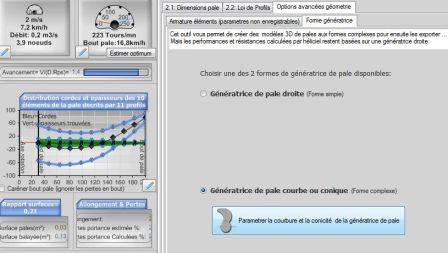
Choice of the generatrix shape; the Parameterize the curvature and conicty of the blade generator button opens the setting window.
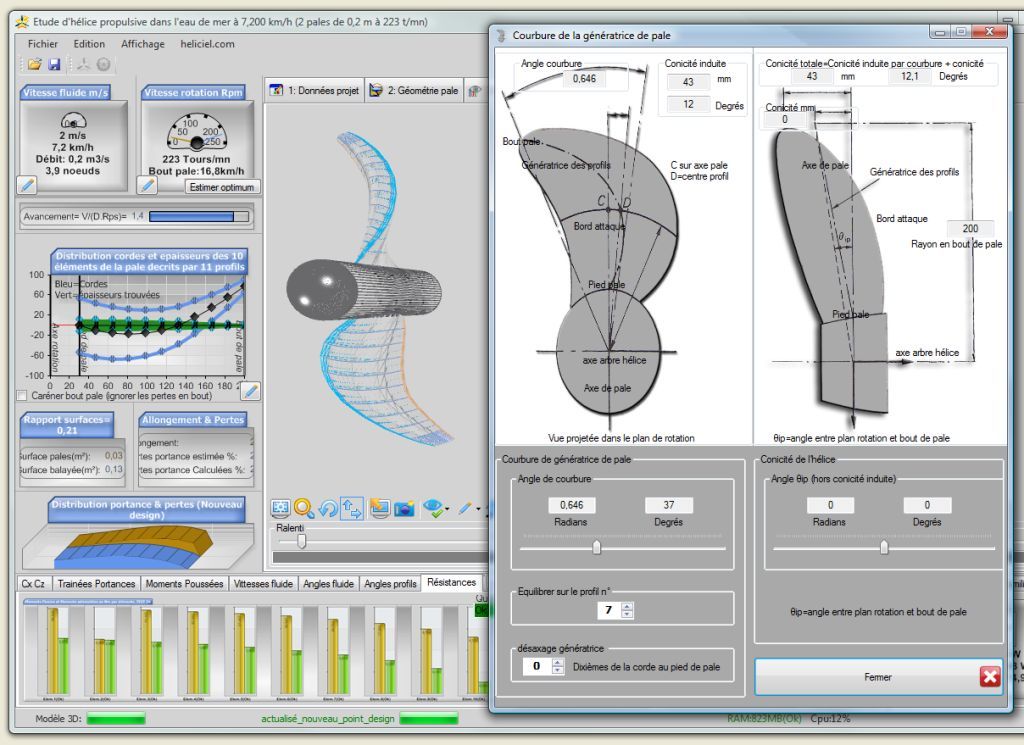
The blade generatrix curvature window: curvature on the left, with the curvature angle, the balanced profile and the offset in tenths of the chord; propeller taper on the right. The values shown are those of this example.
This tool lets you create 3D models of blades with complex shapes, which you then export. Here is a wing with a curved generatrix, seen in the same 3D window.
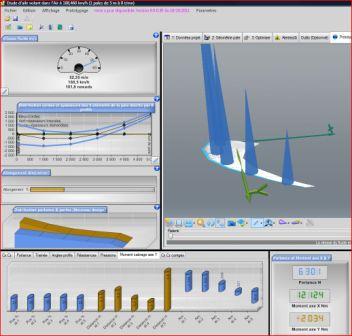
A wing with a curved generatrix: the pitching moments per element appear in the bottom band.
5: What the calculation takes into account, and what it ignores
Note: only the pitching moments depend on the position and shape of the generatrix in Heliciel's calculation. At subsonic speeds, the curvature of the generatrix changes lift and drag very little. Heliciel therefore computes the performance and the bending strength as for a straight generatrix: a blade with a straight generatrix and the same blade with a curved one give the same values.
This is an estimate, because in reality blade curvature does affect these quantities. For a strongly curved blade, we advise you not to rely blindly on these two results.
To go further, we can look at how the pitch angle varies along the blade with blade twist, how to force the angle of attack of an element on the page about managing the angle of attack of profiles, or how to export the blade to CAD with 3D modeling of the blade.
 Global site map
 Mecaflux
 Tutorials Mecaflux Pro3D
 Tutorials Heliciel
 Tutorials Heliciel PRO CFD
 Mecaflux Store
 Compare software functions
 Quotes, Orders, Payment Methods
 project technical studies